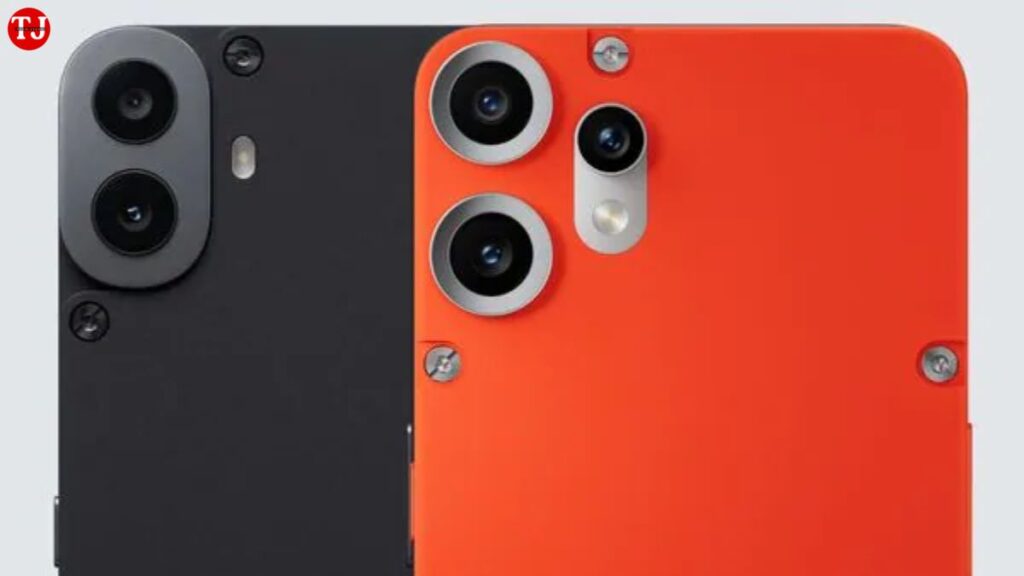
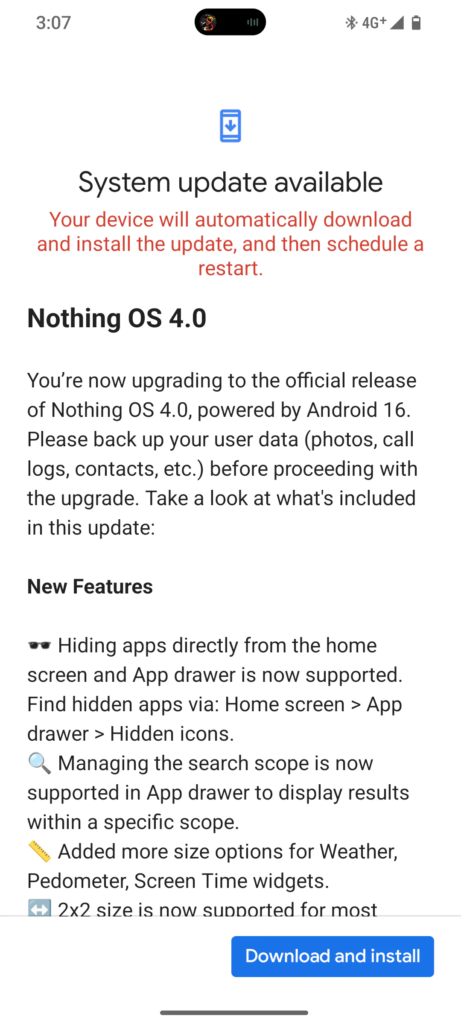
CMF by Nothing has officially started rolling out Nothing OS 4.0, delivering a major software upgrade to its smartphone lineup. Based on Android 16, the latest update is now reaching CMF Phone 1 users and will soon be available for CMF Phone 2 Pro owners. This update focuses on refined visuals, smarter multitasking, deeper customisation, smoother animations, and improved system performance—making it one of the most important upgrades for CMF devices so far.
- Read More:- Honor Win and Honor Win RT Launched with 10,000mAh Battery, Active Cooling Fan, and 185Hz Display
Nothing OS 4.0 is being released in phases via OTA (Over-The-Air) updates, ensuring a stable rollout experience. Let’s take a detailed look at everything new in Nothing OS 4.0, including features, improvements, Android 16 benefits, and the official rollout timeline.
Nothing OS 4.0 Brings Android 16 to CMF Phones
One of the biggest highlights of Nothing OS 4.0 is the Android 16 upgrade. CMF devices are officially moving from Android 15 to Android 16, unlocking the latest platform-level enhancements from Google. This includes improved system security, better background app management, enhanced privacy controls, and overall performance optimisation.
With Android 16, CMF Phone users also benefit from smoother memory handling, faster app launches, and improved battery efficiency—especially noticeable during multitasking and extended usage sessions.
Refined and Cleaner User Interface
Nothing OS 4.0 does not aim to reinvent the user experience but instead focuses on polish and refinement. The update introduces a cleaner, more balanced UI that feels calmer and easier on the eyes.
Key Interface Changes:
- Refreshed system icons with improved visual consistency
- Redesigned status bar indicators for better readability
- Simplified Quick Settings panel for faster access
- Improved spacing and layout alignment across system menus
These UI refinements make daily interactions smoother and more intuitive, especially for users who prefer a minimal and distraction-free Android experience.
Enhanced Extra Dark Mode for Better Comfort
A major visual upgrade in Nothing OS 4.0 is the enhanced Extra Dark Mode. This updated dark mode goes beyond standard Android dark themes by offering deeper blacks and improved contrast.
Benefits of the New Dark Mode:
- Reduced eye strain during night usage
- Lower power consumption on AMOLED displays
- Improved text visibility across notifications and menus
- Extended support for first-party apps like Essential Space
The deeper dark tones also help reduce screen glare, making the experience more comfortable for long reading sessions or late-night scrolling.
Expanded Customisation With New Widgets and Layout Options
Customisation has always been a strong point of Nothing OS, and version 4.0 expands it further with new widget sizes and layouts.
New Widget Features:
- Support for 1×1 and 2×1 widget formats
- Compatible apps include Weather, Pedometer, Screen Time, and more
- Compact widgets designed for information-rich home screens
These changes give users greater freedom to design minimalist or productivity-focused home screens without clutter. The new widget layouts also improve usability on smaller displays.
Smarter Multitasking and Pop-Up View Improvements
Nothing OS 4.0 significantly improves multitasking with a refined pop-up view system. Users can now run two floating apps simultaneously and switch between them more fluidly.
Multitasking Enhancements:
- Smoother swipe gestures for floating windows
- Faster app switching without closing background tasks
- Improved responsiveness during split workflows
This feature is particularly useful for tasks like chatting while browsing, watching videos while taking notes, or switching between apps during work sessions.
New Hidden Apps Feature for Better Privacy
Privacy and app organisation receive a boost with the new Hidden Apps feature. Users can now hide selected apps from the app drawer while still keeping them easily accessible when needed.
This feature is ideal for users who want a cleaner app drawer or prefer keeping certain apps private without relying on third-party launchers or tools.
Smoother Animations and Improved Haptic Feedback
Nothing OS 4.0 introduces refined system animations that make the interface feel more fluid and responsive.
Animation Improvements:
- Smoother app opening and closing transitions
- Subtle background scaling effects for better depth
- More natural gesture animations across the system
In addition, haptic feedback has been enhanced. Users will notice gentle vibration cues at minimum and maximum volume levels, improving tactile awareness and overall interaction quality.
Performance and Security Enhancements With Android 16
Beyond visual upgrades, Nothing OS 4.0 delivers meaningful performance improvements thanks to Android 16.
Key Performance Benefits:
- Faster app loading times
- Improved background process management
- Enhanced battery optimisation
- Latest Android security patches
These changes ensure CMF devices remain secure, fast, and reliable for daily use.
Nothing OS 4.0 Rollout Timeline and Availability
Nothing has confirmed that the rollout is happening in stages to ensure stability.
Official Rollout Plan:
- CMF Phone 1: Update rollout has already begun
- CMF Phone 2 Pro: Update scheduled for early January
Users will receive the update automatically via OTA. To check manually, users can go to:
Settings → System → Software Update
It is recommended to connect to a stable Wi-Fi network and ensure sufficient battery level before installing the update.
Should You Update to Nothing OS 4.0?
If you own a CMF Phone 1 or Phone 2 Pro, Nothing OS 4.0 is a highly recommended update. It delivers a polished UI, smarter multitasking tools, deeper customisation, improved animations, and the latest Android 16 features—all without compromising system stability.
Key Takeaways
- Nothing OS 4.0 brings Android 16 to CMF smartphones
- Cleaner interface with redesigned icons and Quick Settings
- Enhanced Extra Dark Mode improves readability and battery efficiency
- Smarter multitasking with improved pop-up view functionality
- New widgets and hidden apps feature offer better customisation
- Smoother animations and improved haptic feedback
- Rollout starts with CMF Phone 1, Phone 2 Pro to follow in early January