
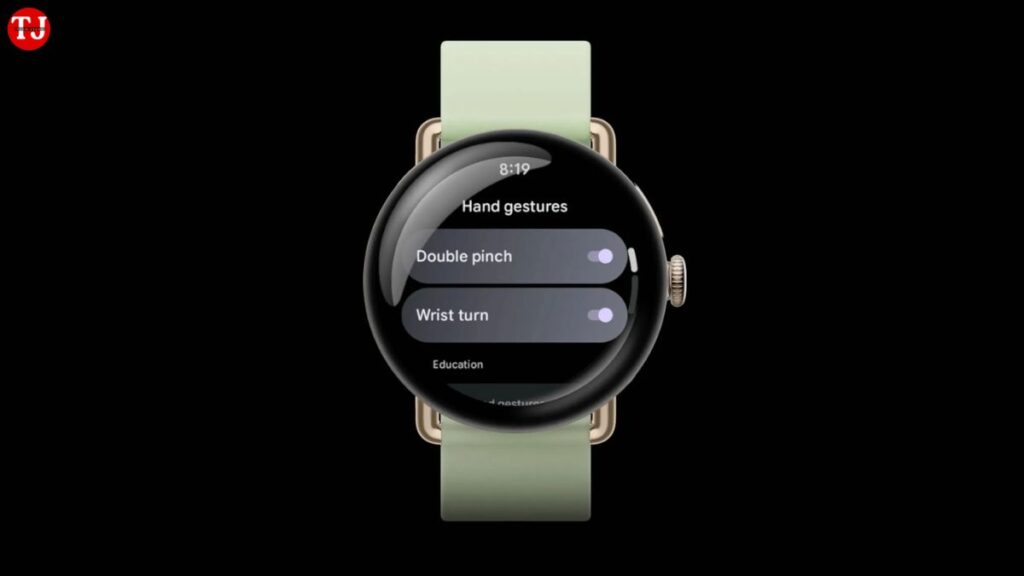
Google has started rolling out a major software update for its latest smartwatch, the Google Pixel Watch 4, and it brings meaningful improvements that make daily usage faster, smarter, and more hands-free. With new gesture-based navigation and upgraded AI-powered smart replies, the Pixel Watch 4 is becoming one of the most intuitive Wear OS smartwatches available right now.
Interestingly, some of these improvements are not limited to the newest model alone. Google has also extended enhanced smart replies to the Pixel Watch 3, ensuring older users continue to benefit from AI-driven innovations. In this article, we’ll break down all the new features, how they work, which models are supported, and why this update matters for smartwatch users.
New Gesture Controls on Google Pixel Watch 4
One of the biggest highlights of this update is the introduction of advanced gesture controls. These gestures allow users to operate the Pixel Watch 4 without touching the screen, making it extremely useful during workouts, commuting, or when your hands are busy.
Double Pinch Gesture Explained
The double pinch gesture lets users control various on-screen actions simply by pinching their thumb and index finger twice. This gesture is context-aware, meaning it adapts based on what’s currently displayed on the screen.
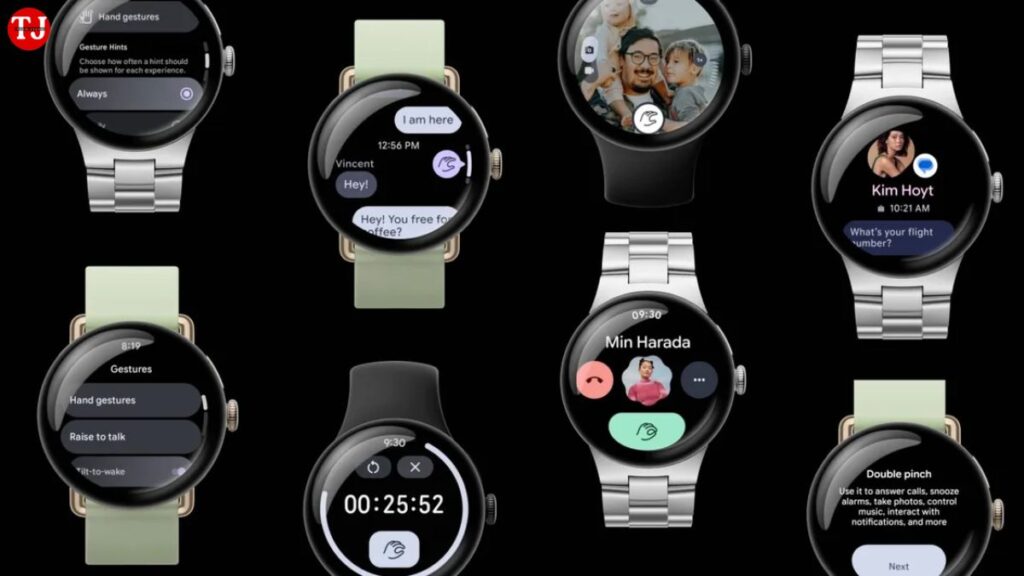
With double pinch, you can:
- Scroll through notifications
- Select a smart reply
- Answer or end phone calls
- Pause or resume music playback
- Start, stop, or manage timers and stopwatches
This feature significantly improves one-handed usability and reduces the need to tap the screen repeatedly.
Wrist Turn Gesture: A Subtle but Powerful Addition
Another newly added control is the wrist turn gesture, which works by rotating your wrist in a specific motion. This gesture is mainly designed to help you dismiss notifications, snooze alarms, or exit screens quickly.
For example:
- Turn your wrist away to dismiss a notification
- Snooze alarms without touching the watch
- Quickly exit alerts or reminders
This feature is especially useful when you’re on the move or wearing gloves, making the Pixel Watch 4 more accessible in real-world situations.
On-Screen Gesture Hints for Better Learning
To ensure users don’t feel overwhelmed, Google has added on-screen hints that appear when gesture actions are available. These subtle prompts guide users on when and how to use gestures, making the learning curve much smoother.
This thoughtful UI improvement ensures that even first-time smartwatch users can easily adapt to gesture-based navigation.
Smarter AI Replies Powered by On-Device Gemma Model
Beyond gestures, Google has significantly upgraded smart replies on both the Pixel Watch 4 and Pixel Watch 3. These new replies are powered by an on-device Gemma-based language model, marking a big leap in AI efficiency and responsiveness.
What’s New with Smart Replies?
According to Google, the new AI model is:
- Twice as fast as the previous version
- Nearly three times more memory-efficient
- Fully processed on-device, improving privacy and speed
This means replies are generated quicker and feel more natural, even without a constant internet connection.
More Natural and Context-Aware Responses
The improved smart replies now better understand the context of incoming messages, allowing for responses that feel more human and relevant. Whether it’s a casual chat or a quick work message, the Pixel Watch can now suggest replies that match tone and intent more accurately.
This makes the Pixel Watch 4 a strong companion for users who rely on quick replies throughout the day.
Pixel Watch 4 vs Pixel Watch 3: Feature Availability
While gesture controls are currently exclusive to the Pixel Watch 4, the enhanced AI smart replies are available on both Pixel Watch 4 and Pixel Watch 3.
Key Differences at a Glance:
- Gesture Controls: Pixel Watch 4 only
- Upgraded Smart Replies: Pixel Watch 4 & Pixel Watch 3
- On-Device AI Processing: Supported on both models
This strategy ensures newer hardware gets exclusive interaction features while still keeping older devices relevant.
Storage and Performance Overview
Both Pixel Watch models come with:
- 32GB internal storage
- 2GB RAM
This hardware setup ensures smooth performance, fast app loading, and efficient AI processing. The improved software optimization further enhances battery efficiency and responsiveness.
Why This Update Matters for Wear OS Users
This update reflects Google’s broader vision for Wear OS—making smartwatches more intuitive, AI-driven, and hands-free. By reducing dependency on touch inputs and improving on-device intelligence, Google is setting a new standard for smartwatch usability.
For users who prioritize:
- Hands-free interaction
- Faster AI responses
- Better privacy through on-device processing
The Pixel Watch 4 becomes an even more compelling choice.
Final Verdict: A Smarter and More Intuitive Pixel Watch
With the addition of new gesture controls and enhanced smart replies, the Google Pixel Watch 4 takes a big step forward in smartwatch innovation. These features don’t just look good on paper—they genuinely improve everyday usability.
The fact that Google is also supporting the Pixel Watch 3 with AI improvements shows its commitment to long-term software support, which is a big plus for buyers.
If you’re looking for a Wear OS smartwatch that blends AI intelligence, intuitive controls, and premium performance, the Pixel Watch 4 is now stronger than ever.