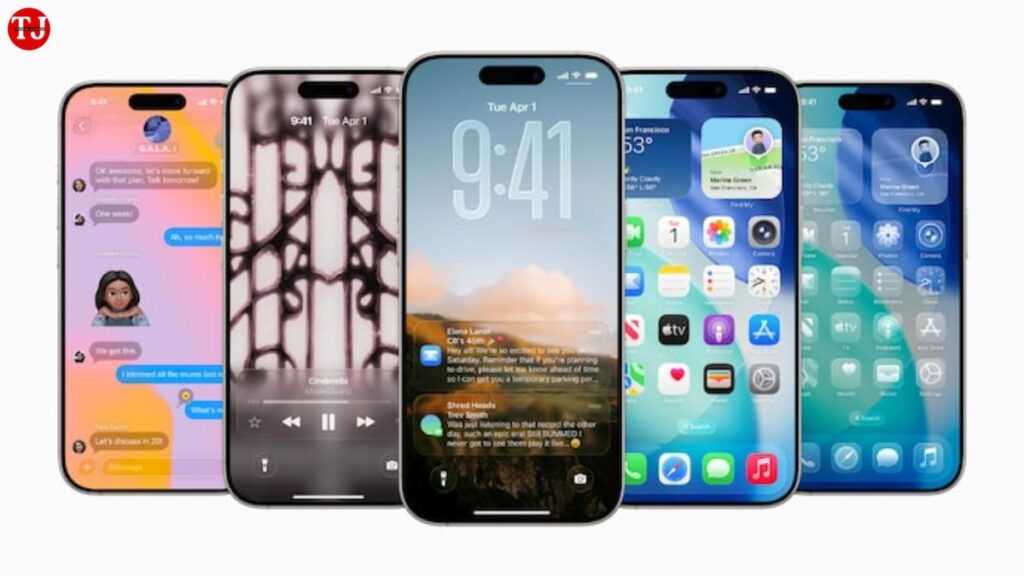
Apple is gearing up to release the iOS 26.2 update, and iPhone users can expect some exciting new features focused on personalisation, accessibility, and daily convenience. The update is confirmed to roll out later this month, bringing stylish design upgrades, smarter notification tools, improved sleep analysis, and several enhancements across Apple’s ecosystem. From a refined Lock Screen effect to new health insights and offline Apple Music lyrics, the iOS 26.2 update aims to make the iPhone experience smoother and more user-friendly.
In this fully detailed guide, we break down all the major features coming with iOS 26.2 and how they will enhance your everyday usage.
Liquid Glass Slider: A New Level of Lock Screen Customisation
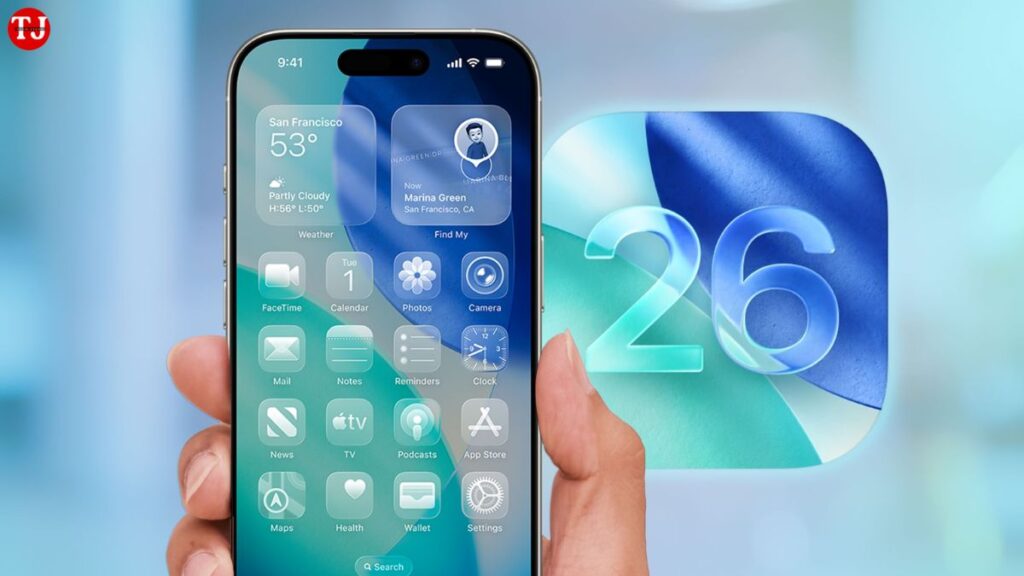
One of the biggest highlights of the iOS 26.2 update is the introduction of the Liquid Glass Slider feature for the Lock Screen. Apple first added the “Liquid Glass” aesthetic in iOS 26.1, letting users choose between Clear and Tinted designs. But with iOS 26.2, Apple is taking personalisation one step further.
The new slider allows users to manually adjust the opacity of the Lock Screen clock, giving you precise control over how transparent or frosted the clock appears. Whether you prefer a sharp, crystal-clear time display or a soft, blurred look that blends beautifully with your wallpaper, this slider lets you fine-tune the style to match your personality.
This feature may seem small, but it reflects Apple’s growing focus on giving users expressive ways to customise their iPhones—while still maintaining the clean, premium Apple design language.
Screen Flash Alerts: A Brighter Way to Get Notifications
With the iOS 26.2 update, Apple is expanding accessibility options by introducing Screen Flash Notifications, a feature many users have been asking for. Currently, iPhones only use the rear LED flash for visual alerts. But now, the entire screen can flash when a notification arrives.
This update is especially useful for:
- Users who keep their phones face-up
- People who prefer silent notifications
- Those with hearing difficulties
You can enable the feature under
Settings → Accessibility → Audio & Visual → Flash for Alerts
Here, users can choose:
- LED Flash
- Screen Flash
- Both
- Or turn it off entirely
This ensures you never miss an alert, even in loud environments or when the phone is silent.
Improved Sleep Tracking With Updated Sleep Score Ranges
Sleep tracking receives a meaningful upgrade in the iOS 26.2 update and watchOS 26.2. Apple has revised the Sleep Score categories to better reflect real-world sleep quality. The new score ranges are:
- Very Low: 0–40
- Low: 41–60
- Fair: 61–75
- High: 76–95
- Very High: 96–100
These expanded ranges aim to give users a more accurate understanding of:
- Total sleep duration
- Sleep consistency
- Number of disturbances or wake-ups
- Overall sleep quality trends
Users can view detailed sleep insights in the Health app on iPhone and the Sleep app on Apple Watch. This improvement will greatly benefit users who rely on their Apple Watch for health monitoring and daily wellness routines.
Reminders App Gets Alarm Support for Urgent Tasks
The iOS 26.2 update also introduces a practical improvement to the Reminders app. You can now set alarms for individual reminders—making it easier to stay on track with urgent tasks.
By selecting a time and toggling the “Urgent” option, the reminder will trigger a proper alarm sound at the scheduled time. This is a huge upgrade for users who depend on Reminders for:
- Medicine timings
- Work deadlines
- Study schedules
- Appointment alerts
It brings the Reminders app closer to functioning like a full-fledged alarm tool.
Offline Lyrics in Apple Music: Perfect for Travel
Music lovers have something to look forward to as well. The iOS 26.2 update adds offline lyrics support in Apple Music. Even without an internet connection, users can view synced lyrics and follow along with their favourite songs anytime.
This feature is perfect for:
- Flights
- Road trips
- Areas with poor mobile network
- Saving mobile data
Apple continues to enhance Apple Music’s offline capabilities, making it more convenient for users who travel frequently or live in areas with unstable connectivity.
Apple News Adds a ‘Following’ Section
The Apple News app receives a new “Following” section in the iOS 26.2 update, giving users quick access to topics they care about. Alongside this, Apple has added shortcut buttons for:
- Sports
- Business
- Politics
- Food
- Puzzles
- And more
This makes the Apple News experience more personalised, helping users stay updated with interests that matter most to them.
iOS 26.2 Release Date: Expected This Month
While the iOS 26.2 update may not bring massive changes like a total UI overhaul, it delivers several thoughtful upgrades that make the iPhone more intuitive, expressive, and efficient. With enhancements to customisation, accessibility, productivity, health, and entertainment, this update continues Apple’s pattern of refining the user experience in meaningful ways.
The update is expected to start rolling out later this month, and supported iPhone models will receive it over the air. Users can install the update by heading to:
Settings → General → Software Update