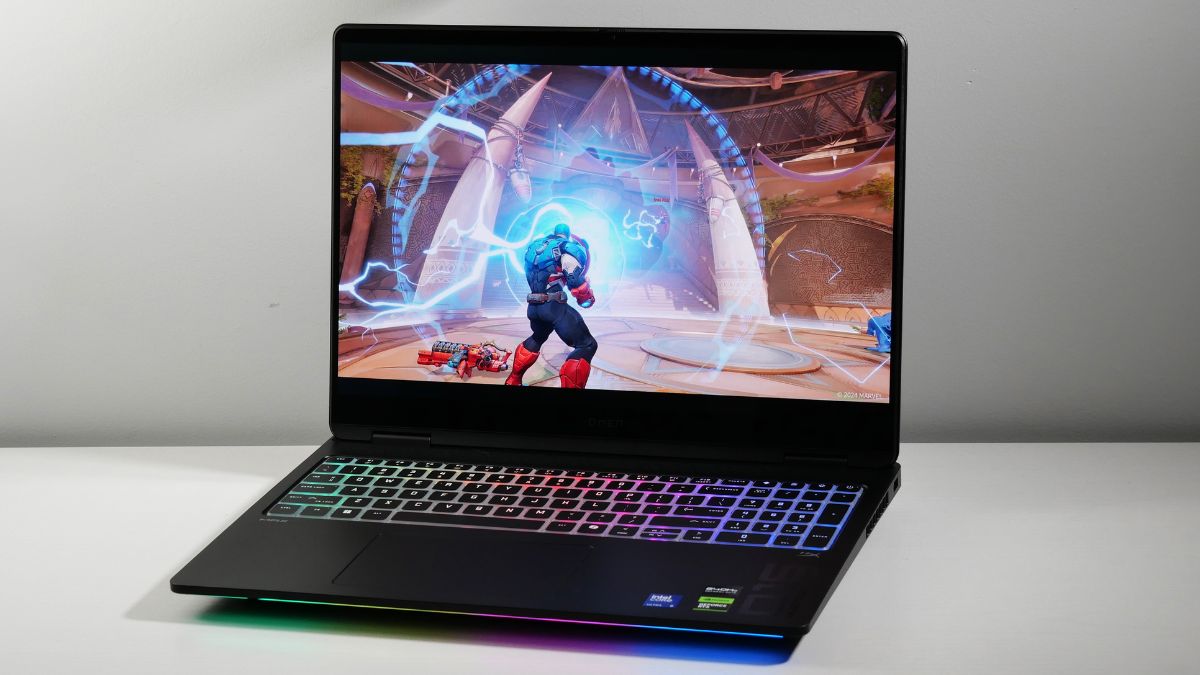
The HyperX OMEN MAX 16 combines Intel Core Ultra processing, NVIDIA GeForce RTX 50 Series graphics, advanced thermal management and a competitive gaming keyboard. Here is what gamers and creators should know before buying.
The HyperX OMEN MAX 16 gaming laptop is designed for users who want high-end gaming performance without committing to a traditional desktop PC. With its 16-inch display format, Intel Core Ultra processor options, NVIDIA GeForce RTX 50 Series laptop graphics and performance-focused cooling system, the laptop targets competitive gamers, streamers and content creators.
Beyond raw hardware, the OMEN MAX 16 platform puts considerable emphasis on temperature management, software-based performance tuning and responsive controls. Features such as self-cleaning fans, vapour-chamber cooling, liquid-metal thermal material and the 1,000 Hz HyperAction keyboard are intended to support demanding workloads and fast-paced gameplay.
However, the name covers multiple configurations, and specifications are not identical across every model or market. Buyers considering the Canadian HyperX OMEN MAX 16-ah1020ca should verify the exact processor, graphics card, display, memory, storage and connectivity options before making a purchase.
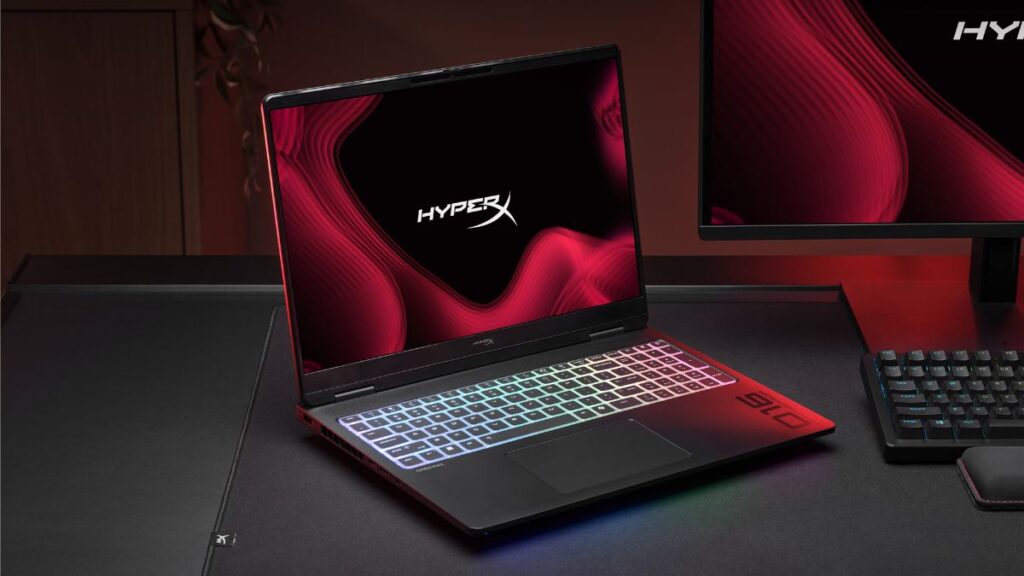
HyperX OMEN MAX 16 Specifications and Features
The specifications below describe the product platform and its advertised feature set, not a guarantee that every feature is included in the 16-ah1020ca configuration.
| Feature | Details |
|---|---|
| Product category | Premium gaming laptop |
| Display format | 16-inch, 16:10 |
| Processor | Intel Core Ultra, configuration-dependent |
| Graphics | NVIDIA GeForce RTX 50 Series laptop GPU, configuration-dependent |
| Keyboard | HyperAction keyboard with 1,000 Hz polling rate |
| Cooling | Self-cleaning fan technology and advanced thermal management |
| Thermal features | Vapour chamber and liquid-metal thermal material |
| Performance software | OMEN Gaming Hub |
| Operating modes | Unleashed Mode on supported configurations |
| Memory and storage | Vary by model |
| Wireless connectivity | Varies by configuration and regional model |
| External connectivity | Port selection varies by configuration |
Important: The exact specifications of the OMEN MAX 16-ah1020ca should be confirmed using its official regional product listing. Specifications from another model, including the 16-ah0070ca, should not automatically be attributed to this laptop.
Design and Build: A Gaming Laptop for Work and Play
The HyperX OMEN MAX 16 adopts a performance-oriented design aimed at users who need more than an everyday laptop. Its 16-inch form factor offers room for gaming, multitasking and creative applications while remaining portable enough to move between a home setup, office, classroom or gaming event.
A larger display can be especially useful when running a game alongside voice chat, a streaming dashboard or a browser. It also gives creators additional working space for video timelines, editing panels and other application interfaces.
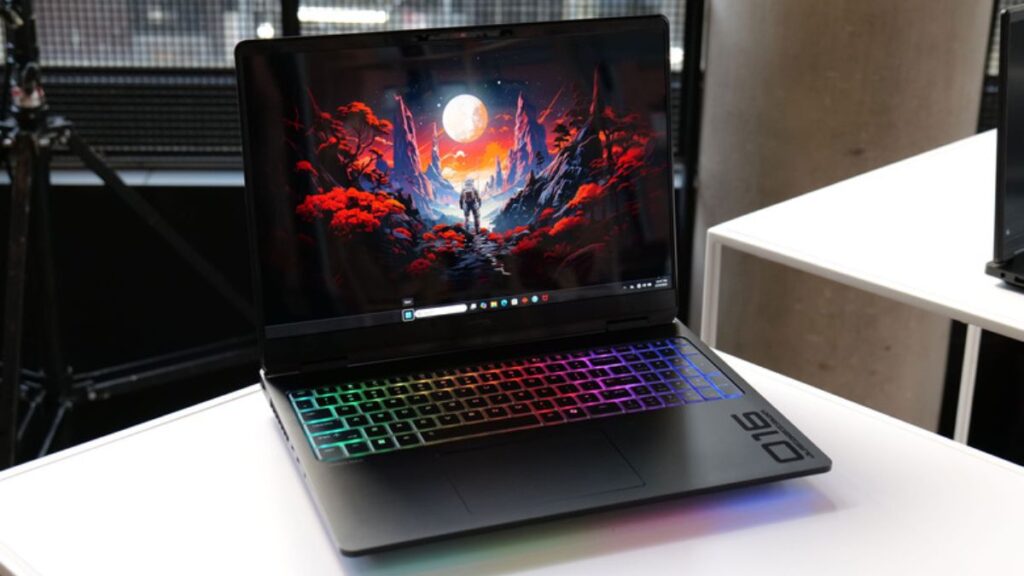
The laptop’s gaming identity is supported by customizable lighting and a keyboard designed for repeated, rapid inputs. Through compatible OMEN Gaming Hub controls, users can personalize supported lighting effects to suit their preferences or existing desktop setup.
HyperAction Keyboard Targets Competitive Players
One of the notable features is the HyperAction keyboard, which has a stated polling rate of 1,000 Hz. This means the keyboard can report input states at a frequency of up to 1,000 times per second under supported operating conditions.
A high polling rate can help minimize the interval between keyboard input reports. That can be useful in competitive games where movement, ability activation and directional changes happen quickly.
However, polling rate is only one part of input responsiveness. Game performance, system latency, keyboard implementation and the player’s own reaction time also influence the overall experience.
For everyday typing, productivity and general gaming, the more meaningful consideration will be how the keyboard feels during extended use and whether its layout suits the user’s preferred games.
Display: What to Expect From the 16-Inch Panel
The OMEN MAX 16 platform uses a 16-inch, 16:10 display format. Compared with a traditional 16:9 screen of similar width, the taller aspect ratio provides additional vertical space for compatible applications.
That extra room can be useful for browsing, working with documents, editing video and navigating complex software interfaces. In games, the actual benefit depends on how each title handles the selected resolution and aspect ratio.
The Canadian OMEN MAX 16-ah0070ca listing identifies a 2,560 × 1,600 resolution panel with 100% sRGB colour coverage. These specifications provide a useful reference for that particular model, but they should not be assumed to apply to the 16-ah1020ca.
Before purchasing, check the exact model’s:
- Native resolution and refresh rate
- Panel technology and response time
- Brightness and colour coverage
- HDR capabilities, if available
- Adaptive-sync compatibility
For competitive gaming, a high refresh rate and fast pixel response can improve motion clarity. For creative work, colour accuracy, brightness and panel consistency may be more important. The best display configuration therefore depends on whether gaming, editing or a mixture of both is the primary use case.
Gaming Performance: NVIDIA RTX 50 Series Graphics
Graphics capability is one of the main reasons to consider the HyperX OMEN MAX 16. The product family offers NVIDIA GeForce RTX 50 Series laptop GPU configurations designed for modern games and GPU-accelerated applications.
The specific graphics processor matters considerably. Different GPUs can deliver substantially different frame rates, rendering capabilities and power requirements, even when they appear within the same laptop family.
Depending on the installed GPU and the software being used, supported systems can take advantage of technologies such as NVIDIA DLSS, ray tracing and NVIDIA Reflex. DLSS can use supported rendering and AI techniques to improve performance or image quality, while ray tracing adds more realistic lighting effects. NVIDIA Reflex targets system latency in supported games.
Actual results depend on the game, graphics settings, drivers, resolution and laptop power limits. A higher-tier GPU may be better suited to demanding AAA titles at high resolutions, while a less expensive configuration could provide more than enough performance for esports and everyday gaming.
Can It Handle AAA Games and Esports?
The OMEN MAX 16 is positioned for demanding gaming, but performance expectations should be based on the precise configuration rather than the product name alone.
For AAA gaming, buyers should pay attention to GPU performance, available graphics memory, cooling behaviour and the resolution at which they intend to play. Features such as ray tracing can increase the rendering workload, making the GPU choice particularly important.
Competitive players should also consider display refresh rate, input responsiveness and stable frame delivery. A powerful graphics processor is valuable, but consistent performance can matter as much as achieving a high peak frame rate.
Anyone comparing configurations should look for independent gaming benchmarks using the same GPU, resolution and graphics settings they expect to use.
Intel Core Ultra Processors and AI Capabilities
Intel Core Ultra processors give the OMEN MAX 16 platform a foundation for gaming, multitasking and content creation. Depending on the processor generation and specific configuration, these chips can combine CPU cores, integrated graphics and dedicated AI-processing capabilities.
The exact processor installed in the 16-ah1020ca should be checked before drawing conclusions about its core count, clock speeds or AI performance.
On supported configurations, a Neural Processing Unit (NPU) can accelerate certain AI workloads. Compatible applications may use this hardware for tasks such as background effects, noise processing and other supported AI-assisted functions.
For creators, the wider hardware combination is particularly relevant. CPU resources can help with general application performance and selected editing tasks, while a discrete NVIDIA GPU can accelerate supported video effects, 3D rendering and other demanding workloads.
The laptop may therefore suit users who want one machine for gaming, streaming, study and creative projects. However, people working with large video projects, extensive 3D scenes or other memory-intensive applications should check the available RAM and storage options carefully.
Tempest Cooling Pro: Managing Heat During Long Gaming Sessions
High-performance laptop components generate considerable heat under sustained load. Effective thermal management is therefore essential for maintaining performance during extended gaming, rendering and streaming sessions.
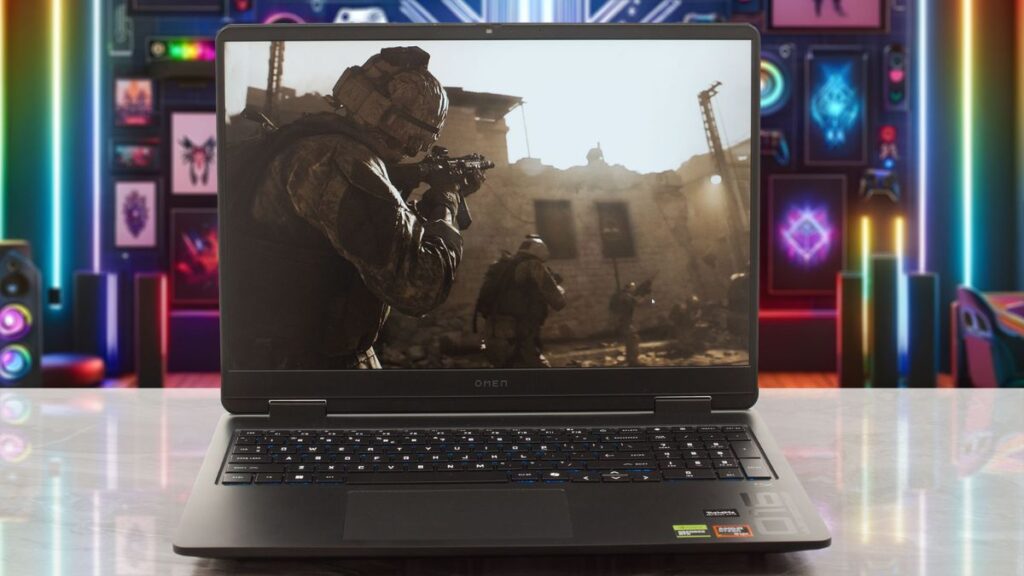
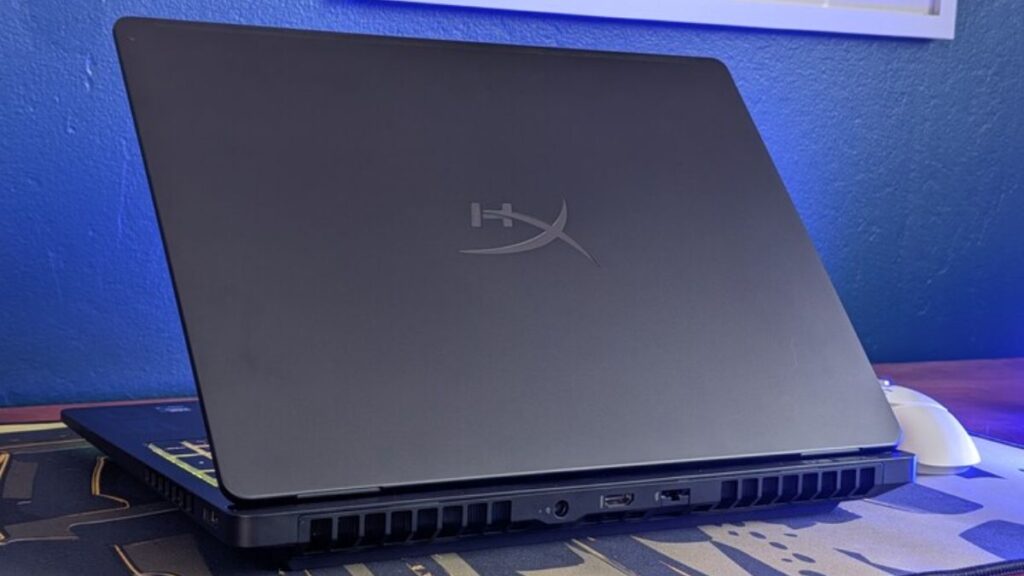
The HyperX OMEN MAX 16 emphasizes cooling through a combination of airflow management and thermal-transfer technologies. Its advertised feature set includes self-cleaning fan technology, a vapour chamber and liquid-metal thermal material.
These components serve different purposes:
- Self-cleaning fans: Designed to help manage dust accumulation through the system’s supported dust-removal process.
- Vapour-chamber cooling: Spreads heat across a larger surface to help distribute thermal energy away from concentrated hotspots.
- Liquid-metal thermal material: Helps transfer heat between compatible components and their cooling assembly.
- Airflow optimization: Supports the movement of air through the laptop to remove heat generated by the processor and graphics hardware.
The effectiveness of any cooling system depends on the overall design, ambient temperature, power limits and workload. These features are intended to help the system handle demanding tasks, but they do not eliminate the possibility of high temperatures, fan noise or performance adjustments under sustained load.
What Is Unleashed Mode?
Unleashed Mode is a performance-oriented feature intended to give users additional control over supported system behaviour. It is designed for enthusiasts who want to explore performance settings for demanding games and workloads.
OMEN Gaming Hub provides the software environment for compatible performance controls and system monitoring. Depending on the configuration and software version, users may be able to review temperatures and adjust available performance settings.
Higher-performance modes can increase power consumption, heat output and fan noise. For this reason, users should choose settings that suit their workload rather than assuming the most aggressive profile will always deliver the best experience.
For competitive gaming, a balanced configuration that maintains stable frame delivery may be more useful than a setting focused solely on maximum short-term performance.
OMEN Gaming Hub: Performance Controls in One Place
OMEN Gaming Hub is the software dashboard used to manage supported OMEN gaming features. It can make it easier to access settings without switching between multiple applications.
Depending on the laptop and installed software version, available tools may include:
- Performance profiles for supported workloads
- OMEN AI optimization features on compatible systems
- Unleashed Mode controls where supported
- Keyboard lighting customization
- Fan and thermal monitoring controls
- Network optimization features
- CPU, GPU and memory monitoring
- Game library and launcher-related features
For users who regularly switch between gaming, productivity and creative work, centralized controls can make system management more convenient.
It is important to distinguish advertised platform features from those available on a particular laptop. Software options may depend on the installed hardware, firmware, regional configuration and version of OMEN Gaming Hub.
Connectivity: Ports, Wireless Networking and External Displays
Connectivity is another important consideration for a premium gaming laptop. Many users will want to connect a gaming mouse, headset, external monitor, controller, storage device or other desk accessories.
The Canadian OMEN MAX 16-ah0070ca listing identifies features including Thunderbolt connectivity rated at up to 40 Gbps, Wi-Fi 7, Bluetooth 5.4, HDMI, USB connections, RJ-45 Ethernet and a combined audio jack.
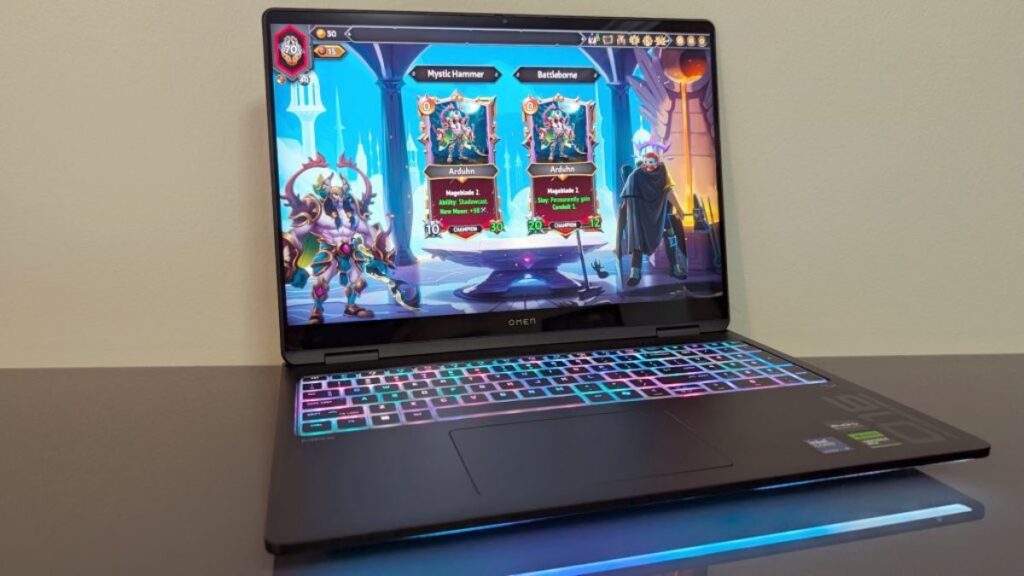
These details relate to the referenced ah0070ca model and should not be treated as a confirmed port list for the ah1020ca. Buyers should verify the exact number, type and location of ports on their intended configuration.
Wi-Fi 7 or Wired Ethernet?
Wi-Fi 7 can offer high wireless throughput and improved networking capabilities when paired with compatible networking equipment. Actual results depend on the router, network conditions, signal quality and supported bands.
For competitive gaming, wired Ethernet remains worth considering because it can provide a more consistent connection in environments where wireless networks are congested.
Bluetooth can be convenient for compatible accessories, while HDMI and supported high-speed ports can help integrate the laptop into a larger workstation or gaming desk. Users planning a multi-monitor setup should confirm display output capabilities, supported resolutions and refresh rates before buying.
HyperX OMEN MAX 16 for Streaming and Content Creation
A gaming laptop can be a useful production machine when its processor, graphics hardware, memory and storage are appropriately configured.
The OMEN MAX 16 platform is designed to support several workloads beyond gaming, including video editing, photo processing, streaming and 3D applications.
A suitable NVIDIA RTX GPU can accelerate supported creative software, while the Intel Core Ultra processor handles general computing and CPU-dependent tasks. The combination can be particularly useful for creators who prefer to maintain a single setup rather than use separate gaming and work computers.
Streamers should pay attention to encoding support, available memory and sustained performance while running a game, broadcasting software, chat applications and browser windows simultaneously.
For video editors and 3D artists, storage capacity and RAM can be just as important as the GPU. Larger projects may require additional space for source footage, cached files, project assets and exported content.
The right OMEN MAX 16 configuration will depend on the software used and the complexity of the projects being handled.
HyperX OMEN MAX 16: Pros and Cons
Pros
- NVIDIA GeForce RTX 50 Series graphics options
- Intel Core Ultra processor platform
- Advanced thermal-management features
- HyperAction keyboard with a stated 1,000 Hz polling rate
- OMEN Gaming Hub performance and customization tools
- Suitable platform for gaming and supported creative workloads
- 16-inch, 16:10 display format
Cons
- Performance and features vary between configurations
- Premium gaming hardware may be unnecessary for casual users
- High-performance operation can increase fan noise and heat output
- Actual gaming results depend on the installed GPU and its power limits
- The exact price and value depend on the regional model
- Display, connectivity, memory and storage details require SKU-level verification
Is the HyperX OMEN MAX 16 Worth Buying?
The HyperX OMEN MAX 16 is worth considering if you need a premium gaming laptop with modern graphics options, advanced cooling features and enough flexibility to handle demanding applications beyond gaming.
It is particularly relevant to competitive gamers who value responsive controls, AAA players interested in current-generation graphics technologies, and streamers or creators who need a capable all-in-one system.
However, the decision should come down to the specific configuration and its price. An expensive GPU may be unnecessary for players focused on lighter esports titles, while users working with complex video or 3D projects may benefit from prioritizing graphics performance, RAM and storage.
Before making a purchase, compare the exact processor, GPU, display refresh rate, memory capacity, SSD storage, port selection, warranty and final price. Independent performance testing of the same configuration can also help establish whether the laptop meets your expectations.
For buyers who need substantial gaming performance and creator-oriented flexibility in one portable system, the OMEN MAX 16 platform has several compelling features. Its overall value, however, depends on selecting the right hardware configuration rather than relying on the product name alone.
Final Verdict
The HyperX OMEN MAX 16 brings together Intel Core Ultra processing, NVIDIA GeForce RTX 50 Series laptop graphics options, a 16-inch display format and a cooling system designed for demanding workloads. Features such as self-cleaning fans, vapour-chamber cooling, liquid-metal thermal material and Unleashed Mode make thermal management and performance customization central parts of its appeal.
The 1,000 Hz HyperAction keyboard and OMEN Gaming Hub software add further functionality for users who want more control over their gaming setup.
The biggest consideration is configuration. Not every OMEN MAX 16 laptop has the same graphics processor, display, memory, storage or connectivity options. Confirming the exact specifications of the Canadian 16-ah1020ca model is essential before judging its performance or value.
For gamers and creators seeking a versatile, high-performance laptop, the HyperX OMEN MAX 16 deserves consideration. The strongest buying decision will come from matching the hardware to your workload, checking independent benchmarks and comparing the final price against competing gaming laptops.
