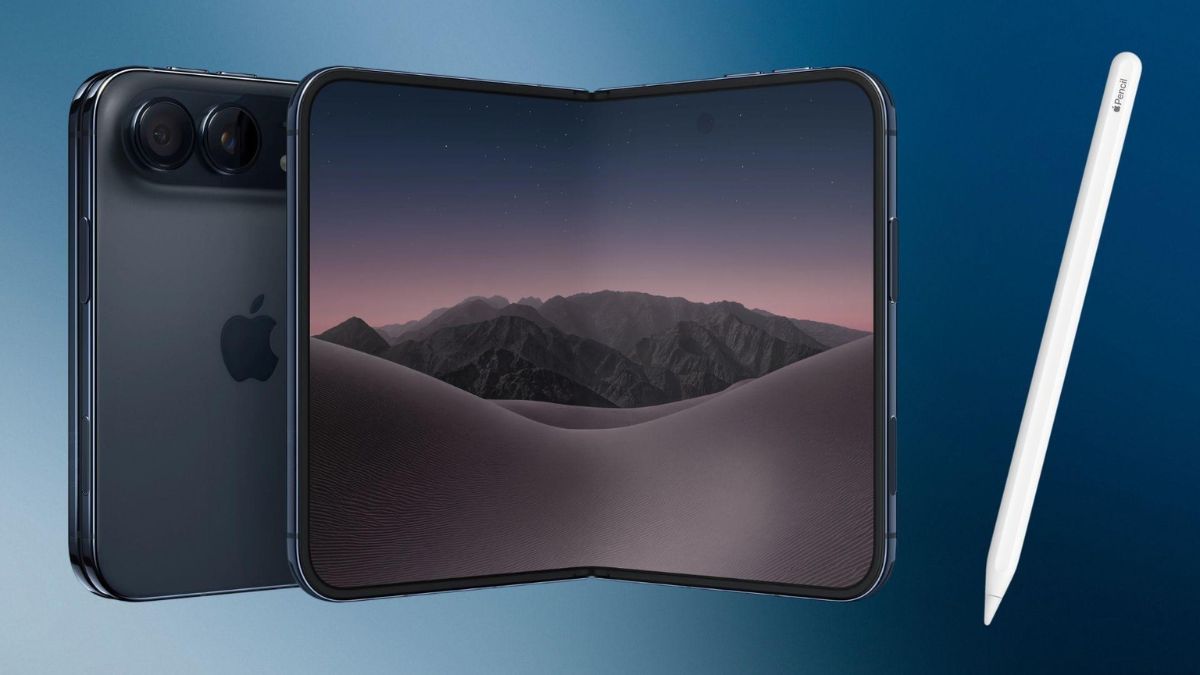
Apple has released iOS 27.2, bringing new features to compatible iPhones, including Apple Pencil support for the iPhone Duo, expanded Siri AI language availability and several app improvements. Released on October 26, 2026, the update also introduces features such as Edge Light for video calls and additional personalization options across Apple’s software ecosystem.
The update is particularly significant for iPhone Duo owners, as it delivers stylus support that Apple had previously promised for later in the year. Siri AI is also becoming more capable, with the ability to recall previous conversations and use additional personal context when answering questions.
For users in India, the United States and Canada, iOS 27.2 is worth examining for its combination of productivity features, AI improvements and changes to everyday apps. However, feature availability depends on the iPhone model, language settings and region.
iOS 27.2 Update: What’s New for iPhone Users?
Apple’s iOS 27.2 update focuses on making compatible iPhones more useful through better AI assistance, expanded hardware functionality and improvements to built-in apps.
Apple’s developer release listing confirms that iOS 27.2 became available on October 26, 2026. The update follows the initial iOS 27 release and brings the iPhone Duo onto the same software version as compatible existing iPhones.
Rather than introducing a completely new operating system, iOS 27.2 builds on Apple’s existing software platform. Its headline additions include support for the company’s USB-C stylus on the iPhone Duo and expanded capabilities for Siri AI.
iPhone Duo Gains Apple Pencil Support
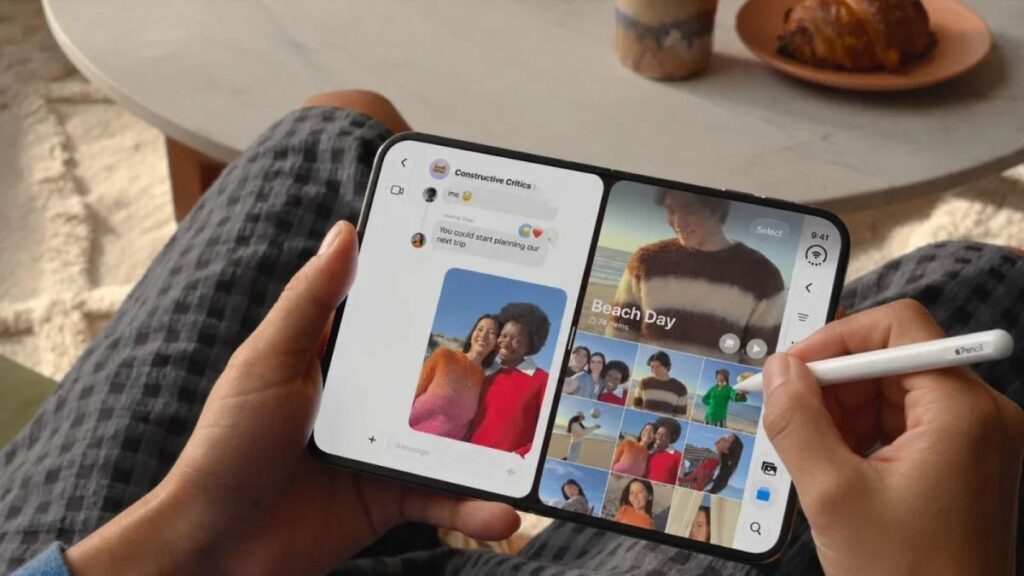
One of the most notable changes in iOS 27.2 is Apple Pencil support for the iPhone Duo, Apple’s foldable smartphone.
When Apple introduced the device in September, it said that Apple Pencil compatibility would arrive later in 2026. The new software delivers that functionality shortly after the phone’s launch.
The feature works with the Apple Pencil (USB-C) on both the inner and outer displays. Apple confirms that other Apple Pencil models are not compatible with the iPhone Duo.
This addition gives users another way to interact with the foldable display. A compatible stylus can be useful for handwriting, sketching, annotating documents and making precise selections, depending on the supported app and feature.
How Apple Pencil support could improve productivity
The iPhone Duo’s larger inner screen provides more room for tasks that benefit from stylus input. Users could find the feature useful when reviewing documents, adding handwritten notes or marking up images while travelling.
However, stylus compatibility alone does not make the device a full replacement for an iPad. The usefulness of the experience will depend on the apps users rely on and how well those apps support the foldable screen.
Apple’s support documentation explains the pairing process: users connect the Apple Pencil (USB-C) through a USB-C cable and follow the on-screen instructions. The company also provides Pencil settings, including options related to handwriting and drawing.
Siri AI Gets More Languages and Better Personal Context
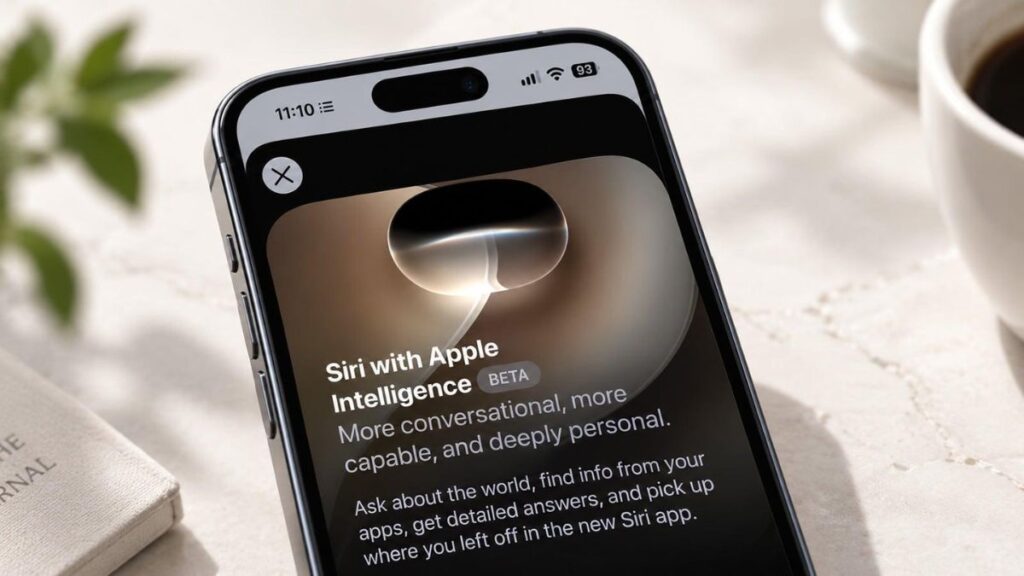
Siri AI is another major focus of iOS 27.2. Apple is expanding the assistant’s language availability while adding capabilities designed to make conversations more continuous and responses more relevant to individual users.
Five additional languages
Apple’s iOS 27.2 release information identifies five newly supported languages for Siri AI:
- French
- Japanese
- Korean
- Portuguese
- Spanish
These additions broaden access to Apple’s AI assistant beyond its earlier language availability. Actual access depends on the required device and language configuration.
Apple’s published support information also lists other supported Apple Intelligence languages, including English, German and Italian, alongside additional languages. Users should check the current language requirements before assuming every Siri AI capability works in their preferred language.
Siri AI can recall previous conversations
Another important improvement is conversation continuity. Siri AI can recall information from earlier conversations, allowing users to refer back to something the assistant discussed previously instead of explaining the entire request again.
For example, a user might ask Siri to revisit a restaurant recommendation from an earlier conversation. This makes the assistant more useful for requests that develop over multiple interactions.
Access to additional personal information
Apple is also expanding the personal information Siri AI can use when answering questions. According to the update information, supported sources include:
- Photos attached to Messages
- Voicemails
- Calendar event attendees
- Safari history and Reading List information
The purpose is to help Siri locate relevant information across different parts of the user’s digital life.
This capability could be useful when searching for a previously shared image, recalling details associated with an event or finding information from earlier browsing activity.
Personal-context access should not be confused with unrestricted access to every app or every piece of information on a device. Apple also documents settings for excluding apps from access by Siri, Search and suggestions.
Siri AI availability in the European Union
Regional availability remains an important limitation. Apple’s original announcement states that Siri AI would not initially be available in the European Union on iOS, iPadOS and watchOS.
Users should therefore verify current regional eligibility and language requirements before expecting the full set of AI features to work.
iOS 27.2 Introduces Edge Light for iPhone Duo

The iPhone Duo receives another device-specific addition in iOS 27.2: Edge Light.
The feature is designed to illuminate a user’s face during video calls by using light from the display. It brings a capability previously associated with Apple’s Mac experience to its foldable phone.
Edge Light could be useful during calls in dimly lit rooms, particularly when a separate lamp or external light source is unavailable.
Its practical value will depend on the lighting conditions and the way the display illuminates the user’s face. It should be viewed as a convenience feature rather than a substitute for professional lighting.
The iPhone Duo’s foldable design may also make hands-free calls more convenient when the device is positioned in a supported folded configuration.
Apple Adds Improvements to Photos, Podcasts and Apple TV
Alongside the headline additions, iOS 27.2 includes changes across several Apple apps.
Google SynthID support in Photos and Image Playground
The update adds support for Google’s SynthID AI watermarking technology in Photos and Image Playground, according to reporting on the release.
SynthID is designed to help identify AI-generated content through embedded signals. Support for this technology is relevant as AI-generated images become more common, although it should not be interpreted as a guarantee that every AI-generated image can be identified.
The exact detection behaviour and supported content types should be checked against the relevant documentation before making broader claims about the feature.
Apple TV adds user profiles
The Apple TV app gains user profiles, offering a way to separate individual users’ experiences. Profiles can be useful in households where multiple people share access to the same device or television service.
The availability and behaviour of individual profile features may depend on the app version, account configuration and region.
Podcasts changes its listening queue
Apple has reorganized the Podcasts listening experience. Reporting on iOS 27.2 describes the replacement of the previous “Up Next” queue with separate “New Episodes” and “Continue Playing” sections.
The change is intended to make it easier to distinguish newly available episodes from content a listener has already started.
Apple Music receives a visual refresh
Apple Music gets a new black app icon and updated branding as part of the software changes. The adjustment is primarily visual rather than a major change to the service’s core music-streaming functionality.
FaceTime supports dual-camera group calls
Another reported addition lets users activate the selfie and rear cameras together during FaceTime group calls.
This could help users show themselves and their surroundings at the same time. For example, someone demonstrating a gadget could potentially keep their face visible while showing the item with the rear camera, subject to the feature’s supported modes.
iOS 27.2 Features at a Glance
The following table summarizes the major changes reported for iOS 27.2.
| Feature | What changes | Main benefit |
|---|---|---|
| Apple Pencil support | USB-C Pencil works with both iPhone Duo displays | Handwriting, drawing and document annotation |
| Siri AI languages | French, Japanese, Korean, Portuguese and Spanish added | Wider language availability |
| Conversation memory | Siri AI can recall earlier conversations | More continuous assistance |
| Personal context | Additional supported sources inform responses | More relevant information retrieval |
| Edge Light | Display-based illumination during calls | Better visibility in dim environments |
| SynthID support | Integration in Photos and Image Playground | Additional AI-content identification support |
| Apple TV profiles | Individual profiles in the app | More personalized use |
| Podcasts updates | New Episodes and Continue Playing sections | Clearer listening organization |
| FaceTime | Simultaneous front- and rear-camera use | More flexible video calls |
Source: Apple’s iOS release information and published support documentation, supplemented by reporting on the update. Feature availability may vary by device, language and region.
iOS 27.2 Compatibility and Availability
Apple’s release documentation confirms that iOS 27.2 was released on October 26, 2026. Apple’s security release information lists the iPhone 11 and later among the devices covered by the update’s security content.
That does not mean every feature is available on every supported iPhone. Apple Pencil support and Edge Light are associated with the iPhone Duo, while some Siri AI capabilities require eligible hardware and supported language settings.
How to download iOS 27.2
Compatible iPhone owners can check for the update using these steps:
- Open Settings on the iPhone.
- Select General.
- Tap Software Update.
- Wait for the device to check for available software.
- If iOS 27.2 appears, review the update information and select the installation option.
Before updating, it is sensible to back up important data, ensure the phone has sufficient battery power and use a reliable internet connection.
The update’s availability can vary by device and rollout circumstances. Users should rely on the version displayed in their own Software Update settings rather than assuming every device will receive identical features at the same time.
Original Editorial Analysis
Why iOS 27.2 Matters for Apple Users
iOS 27.2 is notable because it combines improvements to Apple’s AI software with practical features designed for its newest hardware.
For iPhone Duo owners, Apple Pencil support addresses a specific capability that was promised when the device was introduced. It could make the foldable more useful for document annotation, handwritten notes and other tasks that benefit from precise input.
The Siri AI improvements have broader implications. Conversation recall and access to additional personal context could reduce the effort required to find information across messages, calendars and browsing history. However, the real-world usefulness of these changes will depend on language support, device compatibility, privacy controls and the quality of the assistant’s responses.
The smaller app changes are also worth noting, although they are less significant than the hardware and AI additions. Features such as Apple TV profiles and the redesigned Podcasts sections address everyday usability rather than introducing entirely new capabilities.
What users should consider before updating
- iPhone Duo owners: Apple Pencil and Edge Light are the main reasons to explore the new features.
- Users interested in AI: Check Siri AI’s hardware, language and regional requirements before expecting all capabilities to work.
- Users with older iPhones: Review the update’s compatibility information and remember that device-specific features may not be available.
- Users concerned about security: Review Apple’s official security release notes as part of the decision to update.
Apple’s release documentation and feature announcements are more reliable indicators of what is available than early impressions from beta testers. Battery life, stability and performance should be evaluated using broader real-world experience with the final release rather than isolated beta reports.
Conclusion
The iOS 27.2 update brings a combination of hardware-specific improvements, expanded Siri AI capabilities and refinements to Apple’s built-in apps. Apple Pencil support and Edge Light stand out for iPhone Duo users, while conversation recall and expanded language support make the Siri AI changes relevant to a wider audience.
Users with compatible iPhones can check for the update under Settings and Software Update. Before installing, they should confirm compatibility, review the release information and remember that individual features depend on their device and region.
Overall, iOS 27.2 represents a practical step in Apple’s ongoing effort to combine AI assistance with a more flexible iPhone experience.
